
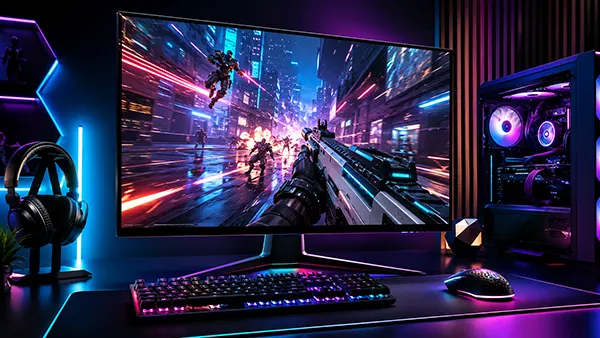
500Hz QD-OLED Monitors for Esports: Is the Difference After 360Hz Noticeable and What Hardware Do You Need in 2026?
For competitive gaming, 360Hz used to represent the point where refresh rates had already moved far beyond ordinary desktop use. In 2026, 500Hz QD-OLED monitors have pushed that limit further while keeping a 2560 × 1440 resolution rather than dropping to 1080p. That combination matters because the discussion is no longer simply about adding more hertz. Modern QD-OLED panels combine extremely quick pixel transitions, high refresh rates, strong contrast and useful QHD sharpness in the same 27-inch class. The practical question is whether a player who already owns a fast 360Hz monitor will actually notice 500Hz, and whether a PC can produce enough frames to justify it. The difference exists, but it is much smaller than the earlier jump from 144Hz to 240Hz or from 240Hz to 360Hz. For serious Counter-Strike 2, VALORANT, Rainbow Six Siege and similar competitive players, however, even a small reduction in display latency and clearer motion can be relevant. The value therefore depends as much on the game, frame-rate consistency and the player’s priorities as it does on the monitor itself.
What 500Hz QD-OLED Actually Changes Compared with 360Hz
The simplest way to understand the difference is to look at how often the screen can present a new image. A 360Hz monitor refreshes roughly once every 2.78 milliseconds, while a 500Hz monitor does so every 2 milliseconds. The gap is therefore about 0.78 milliseconds per refresh opportunity. That sounds extremely small because it is. For comparison, moving from 240Hz to 360Hz reduces the refresh interval from about 4.17 to 2.78 milliseconds, a considerably larger change. This is why someone moving directly from 144Hz or 240Hz to 500Hz is likely to see a much more obvious improvement than a player upgrading from a good 360Hz screen. Higher refresh rates follow diminishing returns: every additional step still improves temporal resolution, but each step removes less time than the one before it.
Refresh interval is only one part of the picture. QD-OLED makes the 500Hz class particularly interesting because OLED pixels can change state extremely quickly. Current 500Hz QD-OLED gaming monitors are commonly rated at around 0.03ms grey-to-grey response time. Manufacturer response-time figures should never be treated as a complete measurement of real gaming latency, but OLED does have a genuine practical advantage: fast-moving objects usually remain cleaner because there is less slow pixel transition behaviour than on many LCD panels. As a result, a fast OLED can make enemy outlines, crosshairs and environmental details easier to follow during rapid camera movement. This is also why comparing a 500Hz OLED with an older 360Hz LCD is not a pure refresh-rate comparison; part of the perceived improvement may come from the panel technology itself.
Against a modern 360Hz OLED, the difference becomes much more subtle. At 500Hz, movement can appear slightly more continuous, and the image position of a moving object is updated more frequently. That is easiest to notice during rapid tracking, strafing, flick movements and fast turns rather than while standing still or playing a slow game. It may also become more apparent after a player has used 500Hz for several days and then returns to 360Hz. Yet it would be misleading to describe 360Hz as suddenly slow. A well-tuned 360Hz OLED remains exceptionally responsive. For most people, 500Hz represents refinement at the upper end of competitive gaming rather than a transformation comparable with moving from a standard 60Hz display to a high-refresh gaming monitor.
Can Players Really See or Perform Better at 500Hz?
Research published in recent years gives a useful answer without supporting exaggerated claims. A 2025 study examining frame rates as high as 500 frames per second found that subjective perception of smoothness continued to improve across the tested range, including at the highest frame rates. Player-performance improvements were much less dramatic and began to level out substantially earlier. A separate 2026 study involving 101 FPS players compared 60Hz, 144Hz and 360Hz conditions. Higher refresh rates reduced system latency and produced some measurable benefits, but performance did not significantly differ between the 144Hz and 360Hz conditions in that particular experimental task. These studies did not prove that 500Hz has no competitive value; instead, they show why visual improvement and measurable match performance should not be treated as the same thing.
Real esports is also more complicated than a controlled targeting test. A match combines aiming, movement, positioning, prediction, sound, communication and decision-making. Saving less than one millisecond at the display cannot compensate for poor crosshair placement or a tactical mistake. Network latency may vary by several milliseconds, frame times can fluctuate and a mouse click has its own input delay. The monitor is therefore one link in a longer chain. Competitive players still try to shorten every link because small reductions accumulate, but buying a 500Hz monitor should not be interpreted as buying a direct increase in rank, accuracy or win rate. Even professional players with similar equipment can have very different results because hardware only defines the technical conditions in which they play.
The people most likely to appreciate 500Hz are experienced FPS players who already maintain very high frame rates, use low-latency settings and are sensitive to motion clarity. A player who regularly competes at a high level may value a slightly cleaner moving target even if the difference cannot be expressed as a dramatic percentage improvement in performance. A casual player who alternates between esports titles, single-player games and general PC use may find 360Hz more than sufficient. The best description of 500Hz after 360Hz is therefore noticeable but not revolutionary. The improvement is technically real, it can be visible under the right conditions, and it can reduce the time between display updates, but its value rises sharply only when the rest of the gaming setup is already operating at a similarly high level.
Which 500Hz QD-OLED Monitors Matter in 2026?
By 2026, 500Hz QD-OLED is a real retail category rather than an experimental specification. Samsung’s 27-inch Odyssey OLED G6 G60SF combines a 2560 × 1440 QD-OLED panel with a maximum 500Hz refresh rate and a quoted 0.03ms grey-to-grey response time. It supports both AMD FreeSync Premium Pro and NVIDIA G-SYNC compatibility, which makes variable refresh operation available with current graphics hardware. Samsung also uses HDMI 2.1 alongside DisplayPort 1.4. The model is significant because Samsung introduced it as the first 500Hz OLED gaming monitor. It also demonstrates the direction of the market: extreme refresh rates no longer require players to accept a basic Full HD panel with ordinary image quality.
Gigabyte’s AORUS FO27Q5P follows the same general idea with a 27-inch QHD QD-OLED panel, 500Hz maximum refresh rate and a 0.03ms quoted response time. One notable difference is connectivity. It includes DisplayPort 2.1 UHBR20 as well as HDMI 2.1 and Mini DisplayPort 2.1. For a buyer assembling a new high-end PC, DisplayPort 2.1 can be attractive because current graphics cards from both NVIDIA and AMD increasingly support newer DisplayPort standards. The monitor also provides the deep blacks and high contrast associated with OLED, so it is not restricted to esports. A player can use the same screen for competitive matches, ordinary games, films and desktop work without accepting the image-quality compromises traditionally associated with some extreme-refresh esports displays.
MSI’s MAG 272QP QD-OLED X50 is another 500Hz option based on a 26.5-inch QD-OLED panel with 2560 × 1440 resolution. MSI specifies 500Hz operation through HDMI 2.1, DisplayPort 1.4a and its USB-C display connection. It also states a three-year warranty that includes panel burn-in, although warranty terms should always be checked for the buyer’s own country because regional conditions can differ. These three monitors illustrate an important point about shopping in 2026: the headline 500Hz specification is no longer enough to distinguish products. Buyers should compare connectivity, coating, OLED protection features, stand adjustment, warranty conditions, firmware support and the way each screen handles variable refresh behaviour.
What Matters Beyond the 500Hz Number
Resolution is one of the biggest practical changes compared with earlier ultra-high-refresh esports displays. A 2560 × 1440 image contains substantially more detail than 1920 × 1080, which is useful outside competition and can also help make smaller objects look cleaner in games. At roughly 27 inches, QHD is a sensible balance between desktop sharpness and graphics workload. The disadvantage is obvious: producing 500 frames per second at QHD is harder than producing them at 1080p. Competitive players often reduce shadows, effects and other graphics settings anyway, but resolution still increases the amount of work given to the GPU. Anyone buying a 500Hz QHD monitor should therefore judge the monitor and PC as one system rather than assuming that a high-end screen can compensate for insufficient rendering performance.
OLED care also remains relevant. Modern monitors contain measures intended to reduce the risk of uneven panel ageing, and manufacturers have become more confident about offering burn-in protection on selected models. Even so, OLED is still an emissive technology in which individual pixels generate their own light. Repeatedly displaying the same bright static interface for very long periods is a different workload from frequently changing game content. For a gaming PC this is rarely a reason to reject OLED automatically, but sensible habits remain worthwhile: allow the monitor’s maintenance routines to operate, avoid disabling protective features without a reason and read the exact warranty wording. Buyers who spend most of every working day displaying fixed spreadsheets, application bars or monitoring windows may have different priorities from someone whose screen is used mainly for games.
The connection between graphics card and monitor also deserves attention, although it does not need to become complicated. Use a connection and cable that the monitor manufacturer specifies for its full 2560 × 1440 500Hz mode. Some models reach 500Hz through HDMI 2.1 and DisplayPort 1.4-class connections, while others provide DisplayPort 2.1. Current GeForce RTX 50-series cards and Radeon RX 9000-series cards offer modern display outputs suitable for very high refresh rates, although the ports available on a particular graphics card should still be checked before purchase. After connecting the screen, 500Hz must also be selected in Windows or the graphics driver. A surprising number of expensive high-refresh monitors are used below their maximum setting simply because the refresh rate was never changed after installation.
What PC Hardware Is Needed for 500Hz Esports Gaming in 2026?
The processor is often the most important component when the target is several hundred frames per second. At ordinary 1440p quality settings, many modern games are primarily limited by the graphics card. Competitive titles running at reduced settings behave differently: once the GPU can render frames quickly enough, the CPU, memory subsystem and game engine frequently become the limiting factors. For a new 500Hz-focused gaming build in 2026, AMD’s Ryzen 7 9850X3D is an obvious high-end option. Launched in January 2026, it uses eight Zen 5 cores, 16 threads, up to a 5.6GHz boost clock and 96MB of L3 cache. The earlier Ryzen 7 9800X3D also remains a capable choice. On the Intel side, the Core Ultra 7 270K Plus, introduced in March 2026, is Intel’s updated high-performance desktop gaming option. Buying far more cores purely for esports is usually less important than strong gaming performance per core and stable frame delivery.
The graphics card requirement depends heavily on the game. VALORANT, League of Legends and some competitive titles can reach extremely high frame rates without the fastest GPU available, particularly when graphical detail is reduced. Counter-Strike 2, Fortnite, Overwatch 2 and newer competitive shooters may produce a different balance depending on map, effects, player count and settings. For a premium 1440p 500Hz system, cards in the GeForce RTX 5070 Ti, RTX 5080 or Radeon RX 9070 XT class provide sensible levels of graphics headroom. An RTX 5090 can of course provide more raw performance, but it is difficult to justify purely because a monitor says 500Hz. Once a game becomes CPU-limited, replacing an already-fast graphics card with a much more expensive one may barely change the frame rate. Testing the actual games a player uses is more meaningful than selecting hardware from the monitor specification alone.
The rest of the PC should support consistent frame times rather than chase impressive component names. For a new system, 32GB of dual-channel DDR5 memory is a practical target for gaming, background applications and voice communication. A modern NVMe SSD helps with loading and general responsiveness but will not turn 300 FPS into 500 FPS. Cooling matters because a processor that repeatedly reaches thermal limits may lose boost performance during long sessions. The power supply should meet the recommendation for the chosen graphics card and leave reasonable headroom. A wired Ethernet connection is also preferable when network stability matters, although internet latency is separate from monitor refresh rate. Finally, a good gaming mouse operating at 1,000Hz or above and a low-latency keyboard make more sense alongside a 500Hz display than inexpensive peripherals with inconsistent input behaviour.
Building Around 500Hz Without Spending Where It Does Not Help
A balanced 500Hz esports system does not have to contain the most expensive component in every category. A Ryzen 7 9850X3D paired with 32GB of DDR5 and a GeForce RTX 5070 Ti or Radeon RX 9070 XT is a reasonable starting point for someone primarily playing lightweight competitive games at performance-oriented settings. An RTX 5080 offers additional headroom for demanding titles and makes more sense if the same PC will also be used for graphically intensive games at high settings. Players already using a Ryzen 7 9800X3D or another strong recent gaming processor should check their actual frame rates before replacing it. If Counter-Strike 2 or VALORANT already runs comfortably into the several-hundred-FPS range, upgrading the monitor first may produce more benefit than replacing an otherwise excellent processor.
The key figure is not a single maximum FPS result shown while standing in an empty practice area. A 500Hz screen is most useful when frame delivery stays high during the parts of a match that actually matter. An average of 550 FPS combined with frequent drops to 250 FPS does not provide the same experience as a much steadier frame rate. Check demanding maps, gunfights, smoke effects, large team encounters and late-round situations. Competitive settings should also be chosen deliberately. Lowering visual options that add GPU load without helping target visibility can be sensible, while reducing every setting simply to produce a larger FPS counter may not be. A clear, stable image at very high frame rates is more useful than an unstable benchmark number that the PC cannot maintain during real play.
For someone starting with a 144Hz or 240Hz monitor, a 500Hz QD-OLED can be a major overall upgrade because refresh rate, pixel response, contrast and QHD image quality improve together. For an owner of a 360Hz LCD, the move can still be attractive because OLED response behaviour adds another advantage beyond the higher refresh rate. For someone who already has a good 360Hz OLED, the decision is much narrower. Competitive FPS specialists who regularly sustain very high frame rates and care about every available reduction in latency are the strongest candidates. Everyone else can reasonably remain at 360Hz and spend the difference on a stronger CPU, GPU or another part of the setup. In 2026, 500Hz QD-OLED represents the high end of esports display performance, but it works best as the final refinement of an already fast system rather than the first component around which every gaming PC should be built.
-
 Periphery
ROG Xbox Ally X in 2026: Auto SR, Ryzen AI...
Periphery
ROG Xbox Ally X in 2026: Auto SR, Ryzen AI...The ROG Xbox Ally X occupies an unusual position in 2026. It is …
-
Periphery
500Hz QD-OLED Monitors for Esports: Is the...
For competitive gaming, 360Hz used to represent the point where refresh rates had …
-
 Periphery
PCIe 5.0 SSDs in Modern Games: Do Faster D...
Periphery
PCIe 5.0 SSDs in Modern Games: Do Faster D...PCIe 5.0 SSDs have become one of the most talked-about upgrades for gaming …
-
 Games
Neverness to Everness Review: An Open-Worl...
Games
Neverness to Everness Review: An Open-Worl...Neverness to Everness is an upcoming open-world action RPG developed by Hotta Studio, …