
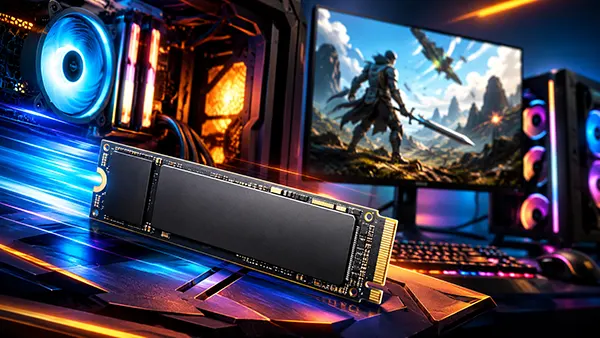
PCIe 5.0 SSDs in Modern Games: Do Faster Drives Improve FPS and Loading?
PCIe 5.0 SSDs have become one of the most talked-about upgrades for gaming PCs in 2026, mainly because their advertised read speeds can look far ahead of older NVMe drives. Yet gaming performance is not decided by storage speed alone. A fast SSD can shorten loading screens, help large worlds stream assets more smoothly, and reduce delays when moving between areas, but it does not automatically raise FPS in the way a stronger graphics card, processor, or memory setup can.
How PCIe 5.0 SSD Speed Works in Modern Gaming PCs
A PCIe 5.0 SSD is a newer generation NVMe drive that uses a faster connection between the storage device and the motherboard. In simple terms, it can move more data per second than PCIe 4.0 or PCIe 3.0 drives, especially in large sequential transfers. This is useful when copying big files, installing large games, moving video projects, or handling heavy creative workloads.
In games, however, storage behaviour is different from a simple file copy. A modern game does not usually read one huge file from start to finish. It pulls many smaller assets, such as textures, audio, shaders, character models, map data, and interface elements. Because of this, real gaming performance depends not only on peak read speed, but also on latency, random read performance, CPU work, GPU decompression, game engine design, and how well the title is built to use fast storage.
This is why a PCIe 5.0 SSD can look much faster on a specification sheet than it feels during actual play. A drive rated above 12,000 MB/s may load a benchmark file extremely quickly, but a game may still wait for shader compilation, server checks, save data, anti-cheat processes, or CPU-side preparation. The SSD is only one part of the loading chain, so the visible improvement depends heavily on the game itself.
Why advertised SSD speed does not directly equal higher FPS
FPS is mainly controlled by the graphics card, processor, RAM speed, game settings, resolution, and engine optimisation. Once the required assets are already loaded into memory, the SSD usually has little influence over how many frames per second the system can render. A faster drive cannot make a weak GPU process ray tracing faster, and it cannot make a CPU-limited open-world game suddenly run at a much higher frame rate.
There are exceptions, but they are limited. If a game streams data constantly from storage and the old drive is too slow, the player may see hitching, delayed texture loading, or brief pauses. In that case, moving from a hard drive or poor SATA SSD to a good NVMe drive can improve the smoothness of gameplay. Still, that is not the same as a large average FPS increase. It is more about reducing interruptions and keeping asset delivery stable.
For most gaming PCs in 2026, the jump from a solid PCIe 4.0 SSD to a PCIe 5.0 SSD will not produce a noticeable FPS gain. The difference is more likely to appear in loading screens, installation speed, file transfers, and edge cases where a game is built to benefit from very fast asset streaming. Players expecting higher frame rates should usually prioritise the GPU, CPU, cooling, RAM capacity, and in-game settings before buying the fastest storage available.
PCIe 5.0 SSDs and Game Loading Times in 2026
Loading times are where a PCIe 5.0 SSD has a clearer chance to make a difference. When a game launches, loads a save, starts a mission, or moves the player into a new area, the storage drive must deliver data quickly enough for the rest of the system to prepare the scene. Compared with a hard drive, any modern NVMe SSD feels dramatically faster. Compared with SATA SSDs, NVMe drives can also offer a smoother experience in larger modern titles.
The difference between PCIe 4.0 and PCIe 5.0 is usually smaller. Many games already load quickly on a good PCIe 4.0 drive, so there is not always much time left to save. If a game takes 10 seconds to load on a PCIe 4.0 SSD, a faster PCIe 5.0 model may reduce that time slightly, but it will rarely turn every loading screen into an instant transition. In some titles, the result may feel almost identical because the bottleneck sits elsewhere.
The largest gains are more likely when moving from an old hard drive, a slow SATA SSD, or a weak entry-level NVMe drive with poor sustained performance. In those cases, upgrading to a fast PCIe 4.0 or PCIe 5.0 SSD can make the system feel much more responsive. For a player who already uses a strong PCIe 4.0 SSD, PCIe 5.0 is more of a premium refinement than a necessary gaming upgrade.
Where faster storage can actually improve the player experience
Open-world games are the best example of where storage speed can matter beyond the initial loading screen. Large maps often stream assets while the player moves through cities, forests, dungeons, planets, or racing circuits. If the drive and the rest of the system cannot deliver data quickly enough, the player may notice texture pop-in, small stutters, or objects appearing late in the scene.
A fast NVMe SSD can help reduce those issues, especially when the game engine is designed to stream assets efficiently. This is also where Microsoft DirectStorage becomes important on Windows PCs. DirectStorage is intended to improve how game data moves from storage to the GPU, reducing unnecessary CPU work in supported titles. When a game uses it properly, the benefit is more likely to appear as faster loading and smoother asset delivery rather than a simple FPS boost.
Even then, PCIe 5.0 is not always required. A well-built PCIe 4.0 SSD is already fast enough for many current games, including demanding releases. The real difference comes from the full chain: fast storage, enough RAM, a suitable graphics card, current drivers, a modern processor, and a game that has been developed to use fast storage well. Without that support, the extra bandwidth of PCIe 5.0 may remain mostly unused during play.
Should Gamers Buy a PCIe 5.0 SSD or Stay with PCIe 4.0?
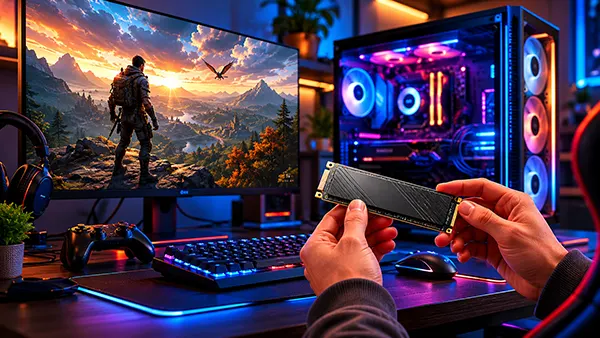
A PCIe 5.0 SSD makes the most sense for high-end gaming PCs where the rest of the build is already strong. If the system has a modern processor, a capable graphics card, enough memory, and a motherboard with a proper PCIe 5.0 M.2 slot, then a Gen5 drive can be a good choice for a clean premium build. It is also useful for players who record gameplay, edit video, move very large files, or use the same PC for demanding work outside gaming.
For value-focused gaming builds, a good PCIe 4.0 SSD is still the more sensible choice in many cases. It offers fast loading, strong responsiveness, wide compatibility, lower heat output, and better pricing. The money saved can often make a bigger difference if spent on a stronger GPU, better CPU, more RAM, or a higher-quality monitor. Those upgrades are more likely to improve visible gaming performance.
Heat is another practical factor. Many PCIe 5.0 SSDs run hotter than older drives and may need a proper heatsink or strong airflow. Some motherboards include suitable M.2 cooling, while others do not. If a Gen5 drive gets too hot, it can throttle, meaning it lowers performance to protect itself. For gaming, stable real-world performance matters more than a peak speed number shown on the box.
Practical buying advice for a gaming PC in 2026
For most players, the best starting point is a 1 TB or 2 TB NVMe SSD from a reliable brand, with 2 TB being the more comfortable choice for modern game libraries. Many current games take up well over 100 GB once updates, high-resolution assets, and extra content are installed. A larger SSD also helps avoid constantly deleting and reinstalling games.
Players building a mid-range PC should usually choose a strong PCIe 4.0 SSD with good reviews, decent endurance, and consistent performance. This gives fast loading without paying a premium for speed that many games will not fully use. A PCIe 5.0 SSD is worth considering if the price gap is small, the motherboard supports it properly, and the drive includes effective cooling.
The simple answer is that PCIe 5.0 can reduce loading times in some situations, but it does not normally increase FPS in modern games. It is a useful upgrade for premium builds and mixed gaming-work systems, but it is not the first component to replace when the goal is higher frame rates. For most gamers in 2026, a quality PCIe 4.0 SSD remains fast enough, while PCIe 5.0 is best treated as a forward-looking option for users who want the fastest storage available and have the rest of the PC to match.
-
 Periphery
500Hz QD-OLED Monitors for Esports: Is the...
Periphery
500Hz QD-OLED Monitors for Esports: Is the...For competitive gaming, 360Hz used to represent the point where refresh rates had …
-
Periphery
PCIe 5.0 SSDs in Modern Games: Do Faster D...
PCIe 5.0 SSDs have become one of the most talked-about upgrades for gaming …
-
 Games
Neverness to Everness Review: An Open-Worl...
Games
Neverness to Everness Review: An Open-Worl...Neverness to Everness is an upcoming open-world action RPG developed by Hotta Studio, …
-
 Periphery
How to Build a Quiet Gaming Setup: Reducin...
Periphery
How to Build a Quiet Gaming Setup: Reducin...Modern gaming setups are often associated with high-performance hardware, RGB lighting and aggressive …