
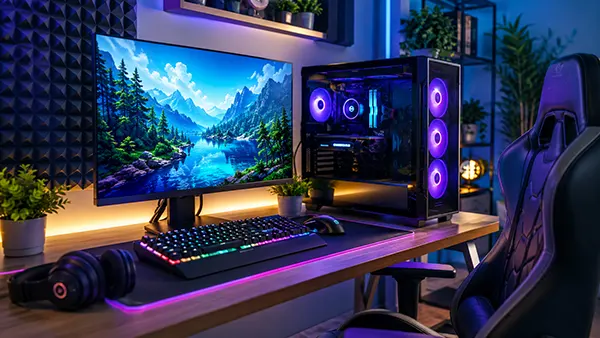
How to Build a Quiet Gaming Setup: Reducing Fan, Keyboard and Workspace Noise
Modern gaming setups are often associated with high-performance hardware, RGB lighting and aggressive cooling systems, yet many players overlook one practical issue — noise. Loud fans, mechanical keyboards, vibrating desks and poorly optimised airflow can quickly turn long gaming sessions into a tiring experience. A quieter gaming environment improves concentration, reduces fatigue and creates a more comfortable space for both gaming and work. In 2026, hardware manufacturers increasingly focus on low-noise technologies, making silent gaming setups more achievable without sacrificing performance.
Choosing Quiet PC Components for Gaming
The graphics card remains one of the loudest parts inside a gaming computer. Modern GPUs from NVIDIA and AMD now include semi-passive cooling modes where fans stop spinning during low-load tasks. However, not every model performs equally well acoustically. Larger triple-fan coolers usually operate more quietly because they can move air at lower RPM levels. In 2026, many gaming enthusiasts prefer GPUs with oversized heatsinks and vapour chamber cooling systems because they maintain stable temperatures while generating less turbulence.
Power supplies also play a major role in overall noise levels. Cheap units often use small, high-speed fans that become noticeable during gaming. A high-quality 80 Plus Gold or Platinum PSU with a fluid dynamic bearing fan is significantly quieter under load. Some modern PSUs even feature hybrid silent modes where the fan remains inactive until the system reaches a certain power threshold. This reduces unnecessary background noise during browsing, streaming or light gaming sessions.
PC cases are equally important for acoustic comfort. Many gaming cases prioritise airflow but ignore sound dampening, which allows internal vibrations and fan noise to escape easily. Cases designed with insulated side panels, rubber mounts and optimised airflow channels help absorb mechanical vibrations while maintaining proper cooling efficiency. Front mesh panels combined with low-RPM intake fans often create a better balance between thermal performance and acoustic control than completely sealed designs.
How Cooling Systems Affect Gaming Noise Levels
Cooling configuration determines whether a gaming setup sounds smooth or constantly distracting. Air coolers with larger heatsinks and 140 mm fans generally produce less noise compared to smaller high-speed cooling systems. Tower coolers from brands such as Noctua, be quiet! and DeepCool have become popular because they combine efficient heat dissipation with low operational noise.
Liquid cooling systems can reduce CPU temperatures effectively, but they are not always quieter. Some all-in-one coolers generate additional pump noise, especially after prolonged use. Poorly mounted radiators may also create vibrations inside the chassis. In 2026, newer AIO coolers include improved pump isolation and smarter fan curves, though high-end air cooling still remains one of the quietest long-term solutions for many gaming systems.
Fan placement has a direct effect on acoustics. Many users install too many fans, assuming this automatically improves cooling. In reality, excessive airflow can increase turbulence and produce additional humming sounds. A balanced intake and exhaust configuration with fewer high-quality fans often delivers lower temperatures and quieter operation than multiple cheaper fans running at maximum speed.
Selecting Quiet Gaming Peripherals
Mechanical keyboards are known for their responsiveness, but certain switch types can become extremely loud during fast-paced gaming. Clicky switches produce sharp acoustic feedback that may disturb other people in the room, especially during late-night sessions. Linear switches are usually quieter because they lack the audible click mechanism. In recent years, many manufacturers introduced factory-lubricated switches and internal foam layers to minimise vibration and key resonance.
Gaming mice can also contribute unexpected noise. Heavy clicking sounds from optical switches or stiff side buttons become noticeable in quiet rooms. Some modern gaming mice now use softer microswitches designed specifically for lower acoustic output while maintaining fast response times. Wireless models may additionally reduce desk vibration caused by cable drag during rapid movements.
Headsets influence how users perceive environmental noise. Open-back headphones provide a wider soundstage but leak sound externally, while closed-back designs isolate external distractions more effectively. Gamers who want a quieter atmosphere often choose headsets with thick memory foam padding and passive noise isolation rather than relying entirely on active noise cancellation.
Desk and Workspace Adjustments for Better Acoustic Comfort
Desk materials affect how vibrations travel through a gaming setup. Hollow desks with thin surfaces can amplify keyboard impacts and mouse movements. Solid wooden or metal-reinforced desks usually absorb vibrations more effectively. Adding a large desk mat underneath the keyboard and mouse further softens impact noise and reduces resonance.
Chair wheels and floor surfaces are another overlooked source of noise. Hard plastic wheels moving across laminate flooring create repetitive sounds during gaming sessions. Soft polyurethane caster wheels significantly reduce rolling noise while also protecting the floor from scratches. Carpet mats placed beneath gaming chairs additionally help absorb movement-related sounds.
Room acoustics can dramatically influence perceived loudness. Empty rooms with bare walls tend to reflect sound waves, making even moderate fan noise feel harsher. Curtains, shelves, rugs and upholstered furniture naturally absorb echo and soften acoustic reflections. Many gaming rooms in 2026 incorporate simple acoustic panels not for recording purposes, but purely to create a calmer and more controlled listening environment.
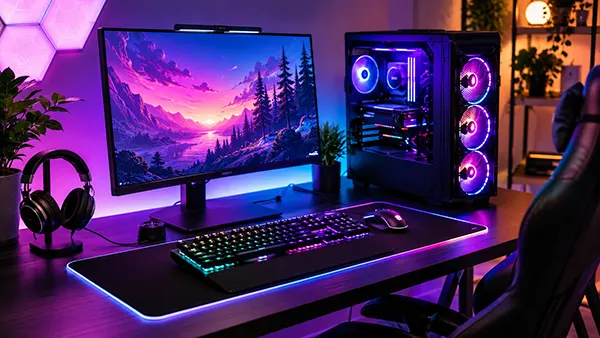
Software and System Optimisation for Silent Gaming
Noise reduction is not limited to physical hardware. Fan control software allows users to create custom fan curves that respond more gradually to temperature spikes. Aggressive default settings often force fans to ramp up unnecessarily during short gaming loads. Adjusting these curves helps maintain quieter operation without causing thermal issues.
Undervolting has become increasingly common among gamers seeking lower temperatures and quieter systems. Modern GPUs and CPUs frequently ship with voltage settings that prioritise maximum stability rather than efficiency. By slightly reducing voltage while maintaining stable clock speeds, users can lower power consumption and decrease fan activity considerably. In many cases, undervolting reduces temperatures by several degrees without affecting gaming performance noticeably.
Background applications also influence system acoustics. Multiple launchers, overlays and browser tabs increase CPU activity even when users are not actively multitasking. This additional workload forces cooling systems to work harder. Regular system maintenance, removal of unnecessary startup programs and updated drivers all contribute to quieter day-to-day operation.
Balancing Gaming Performance and Low Noise
Achieving a silent gaming setup does not mean sacrificing hardware power. The goal is creating an efficient balance between cooling, airflow and workload management. Modern hardware in 2026 is far more energy efficient than previous generations, allowing gaming systems to deliver high frame rates with lower heat output.
Display settings can influence noise levels more than many gamers realise. Running uncapped frame rates forces GPUs to operate at maximum load continuously, even in menus or lightweight games. Setting reasonable frame limits or enabling adaptive sync technologies such as G-Sync or FreeSync reduces unnecessary GPU stress and lowers fan speeds during gameplay.
A quieter gaming setup ultimately improves long-term comfort. Reduced acoustic fatigue helps maintain focus during competitive gaming, streaming or remote work sessions. Careful hardware selection, proper airflow planning and simple workspace adjustments together create an environment that feels more controlled, professional and comfortable for everyday use.
-
 Periphery
ROG Xbox Ally X in 2026: Auto SR, Ryzen AI...
Periphery
ROG Xbox Ally X in 2026: Auto SR, Ryzen AI...The ROG Xbox Ally X occupies an unusual position in 2026. It is …
-
 Periphery
500Hz QD-OLED Monitors for Esports: Is the...
Periphery
500Hz QD-OLED Monitors for Esports: Is the...For competitive gaming, 360Hz used to represent the point where refresh rates had …
-
 Periphery
PCIe 5.0 SSDs in Modern Games: Do Faster D...
Periphery
PCIe 5.0 SSDs in Modern Games: Do Faster D...PCIe 5.0 SSDs have become one of the most talked-about upgrades for gaming …
-
 Games
Neverness to Everness Review: An Open-Worl...
Games
Neverness to Everness Review: An Open-Worl...Neverness to Everness is an upcoming open-world action RPG developed by Hotta Studio, …